
Desktop software for futures traders
One desk for every account you trade.
Genesis Desk is a desktop trading application for futures traders who run several evaluation or funded accounts. Chart, place bracket orders and manage every account from one screen, connected through your own broker login.
Liquidity heatmap
See where the market actually trades.
The heatmap paints every price level by how much has traded there, second by second, so the levels where business is being done stand out as bright bands while the price moves through them.
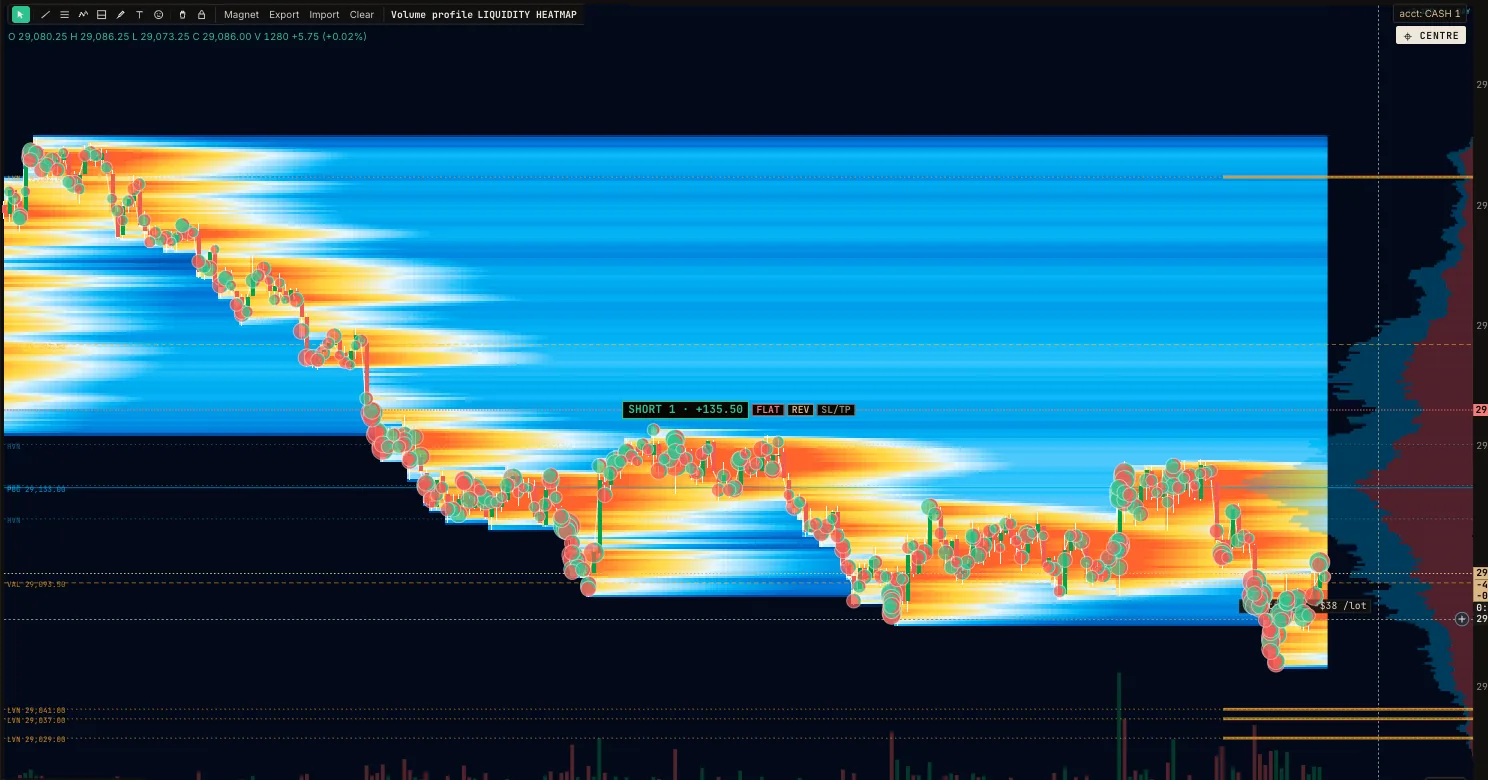
- Heat bands. The brighter the band, the more volume traded at that price. Old activity fades, so the picture always shows where the action is now.
- Trade bubbles. Large trades appear as bubbles sized by volume: green where buyers lifted the offer, red where sellers hit the bid.
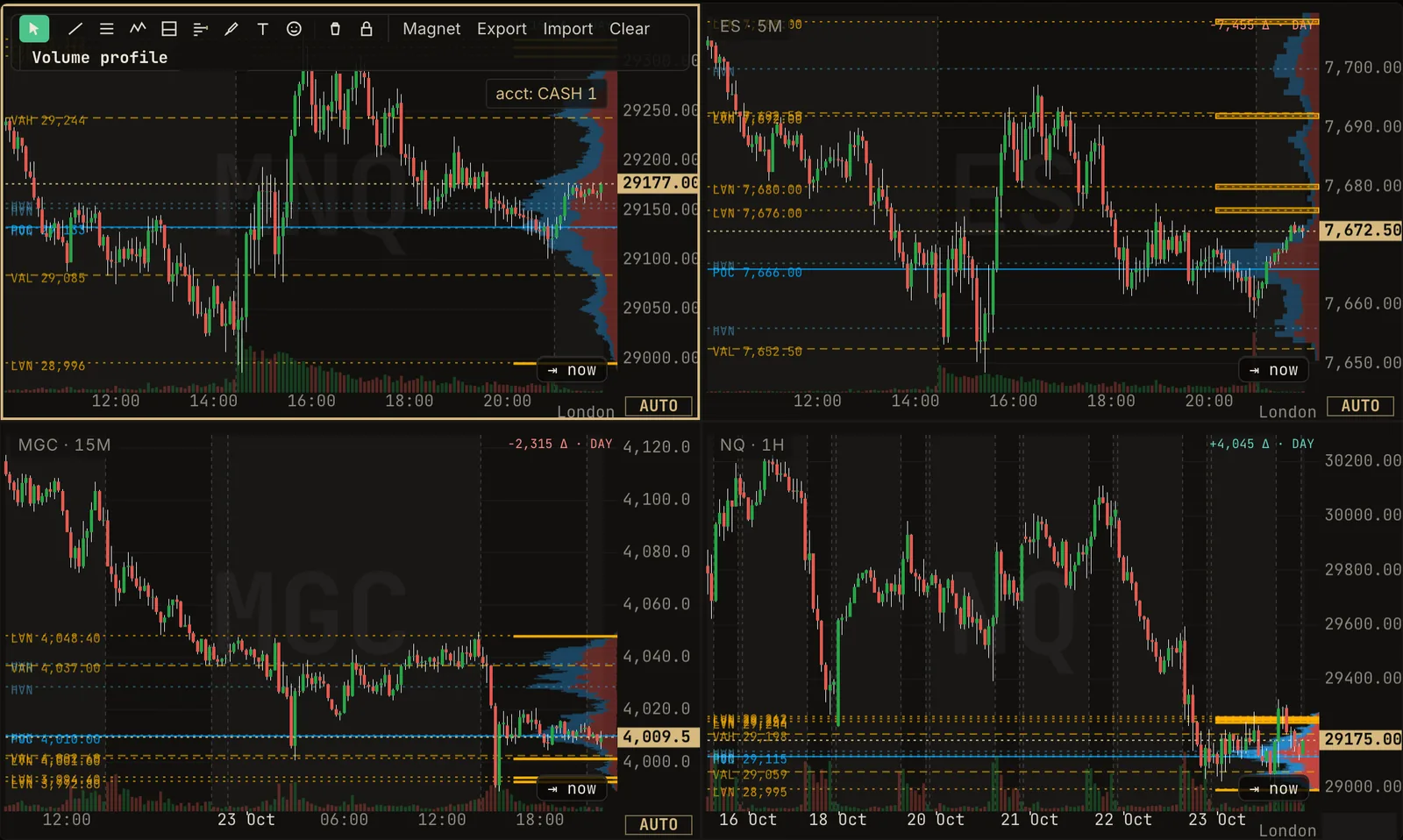
- Volume profile alongside. The session's volume by price sits on the right edge, with value area and low-volume nodes marked on the chart.
- Trade from it. The heatmap is a full chart: your positions, brackets and the trading pad work on it like any other.
- Its own tab, or on any chart. Open the HEATMAP tab, or turn the heatmap on as a chart layer, from 5-second bars upward.
What it is
Genesis Desk is software that runs on your own computer. Windows and Mac are both available now in beta. It connects to the broker account you already hold, using a login you enter yourself inside the app, and receives market data through that login.
Software only. Genesis Desk is not a broker. It never holds client money, does not give investment advice, does not send trade signals and does not manage accounts. Every order is placed by you, through your own broker account.
Who it is for
Traders of futures who manage more than one account at a time, usually several evaluation or funded accounts with the same broker connection. If you trade the same idea across accounts and want one place to chart, enter, manage and review those trades, it is built for you.
What is in the current beta
The beta is the Manual edition: tools for traders who place and manage their own orders.
Charting
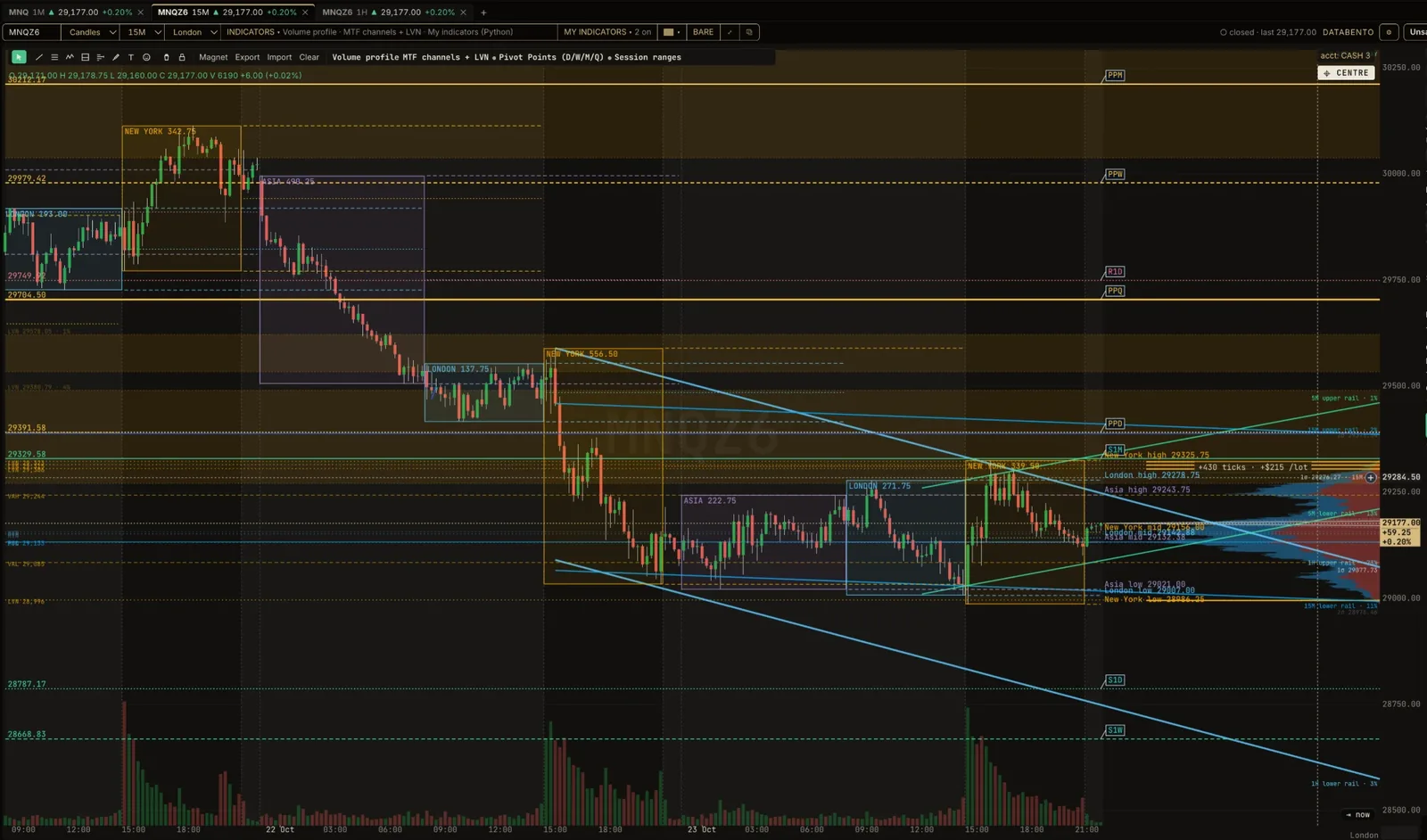
Candlestick charts with volume profile, TPO (market profile) and a traded-volume heatmap.
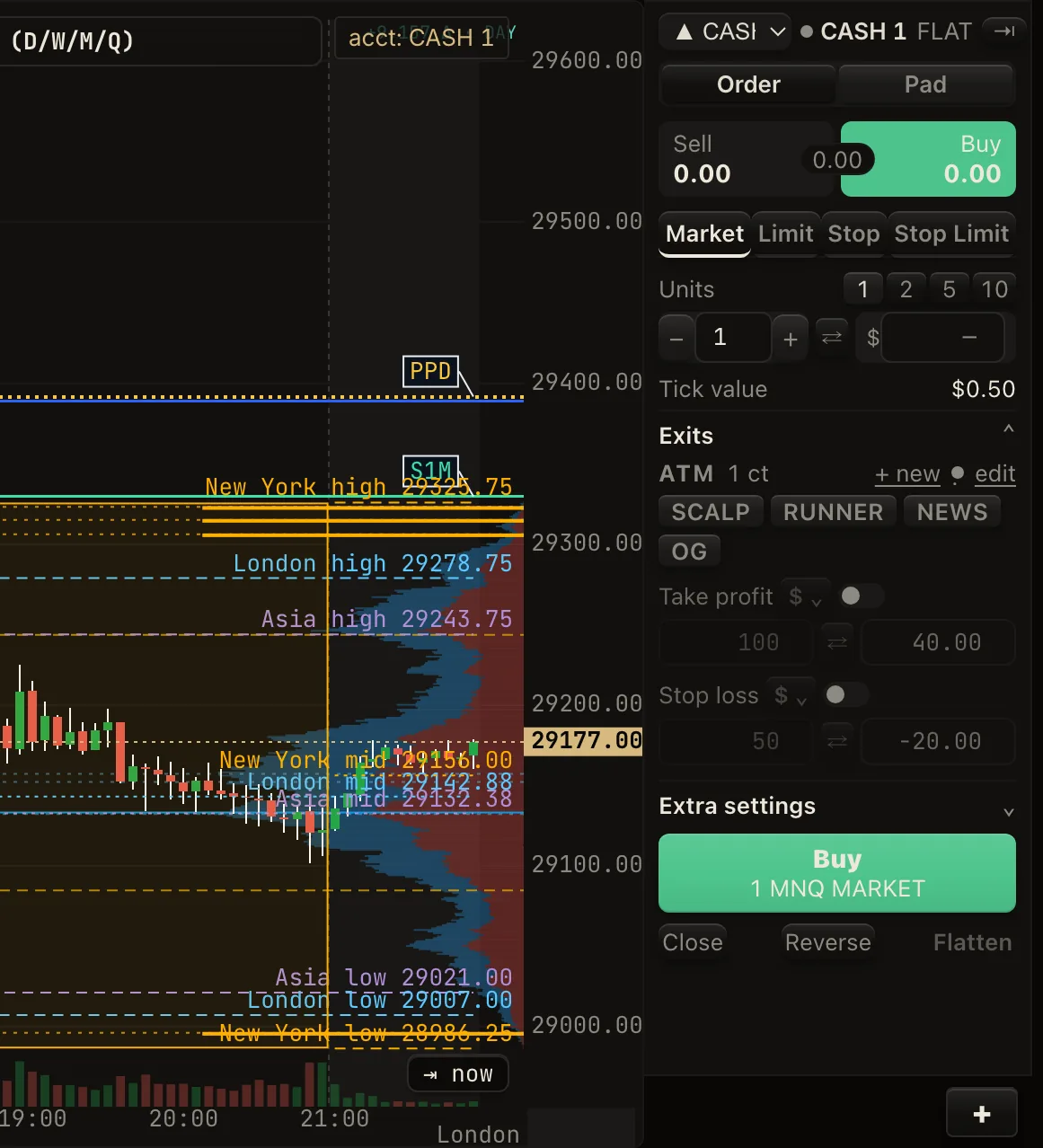
Order ticket and brackets
Bracket templates with a stop and up to three targets, plus break-even and trailing-stop rules you set.
Flatten and reverse
Close or reverse a position with one click. Protect lines and scale-out let you manage an open trade in steps.
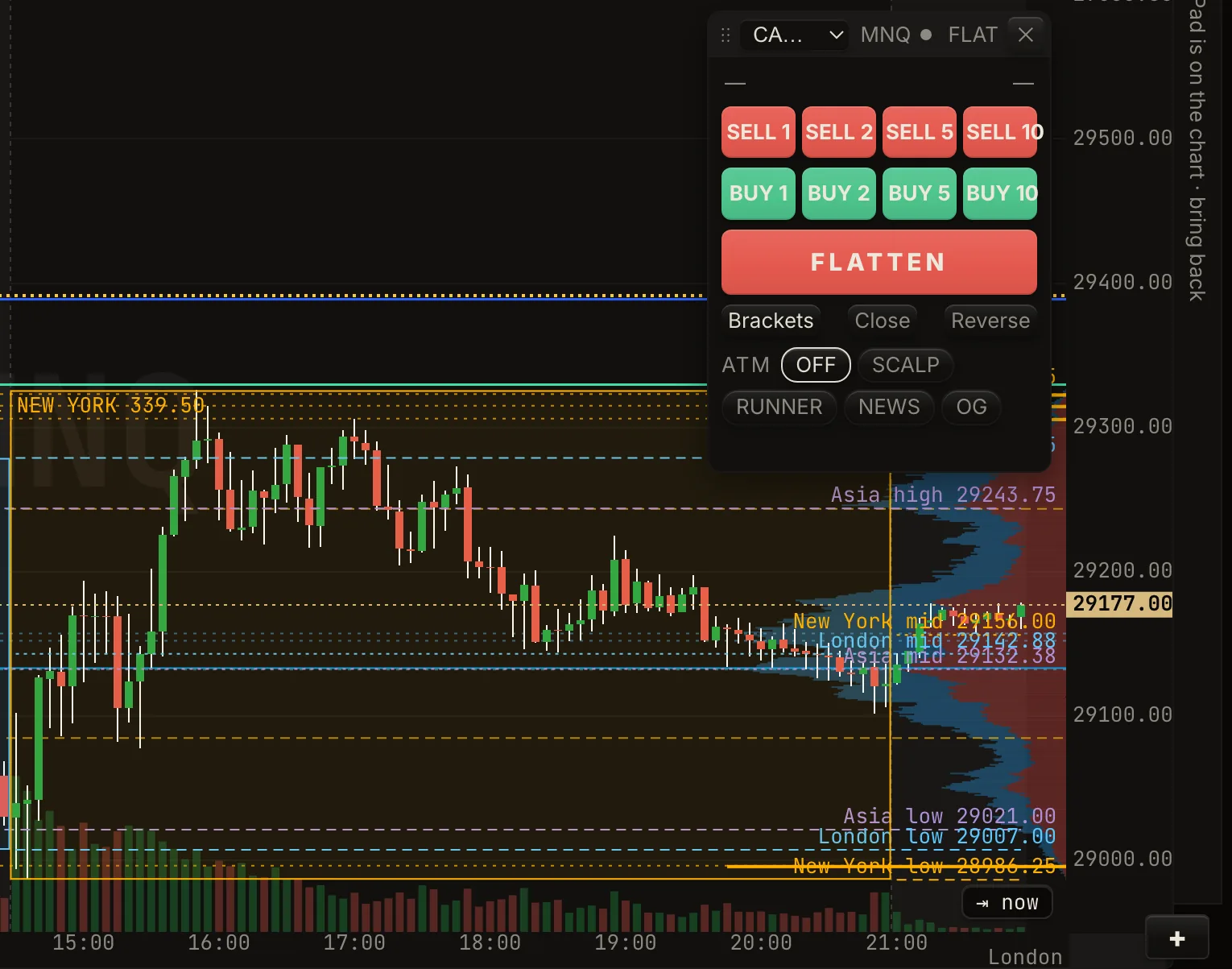
Trading pad
A compact pad on the chart for quick entries, size changes and exits.
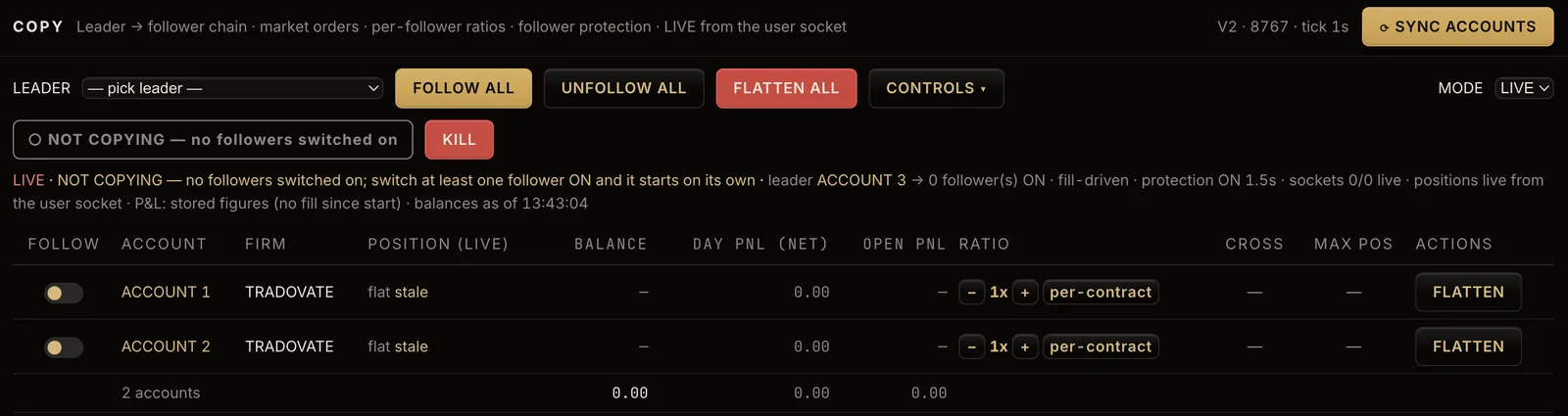
Multi-account copy trading
Choose one leader account and mirror its orders to follower accounts that you own and select.
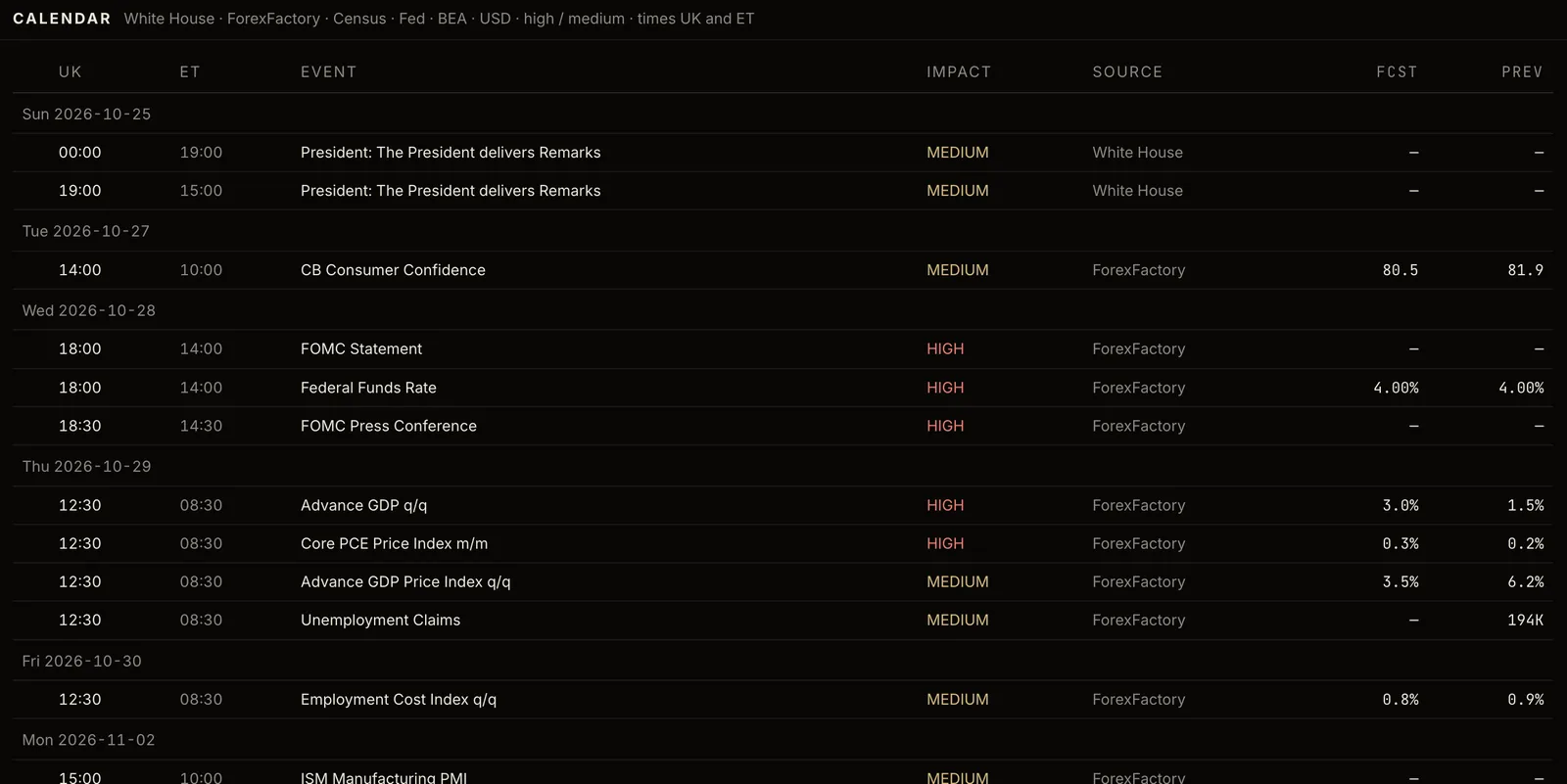
News and calendar
A news feed alongside the economic calendar, so scheduled releases are in view while you trade.

Journal and P&L calendar
A trade journal and a calendar of daily results to review what you did and when.
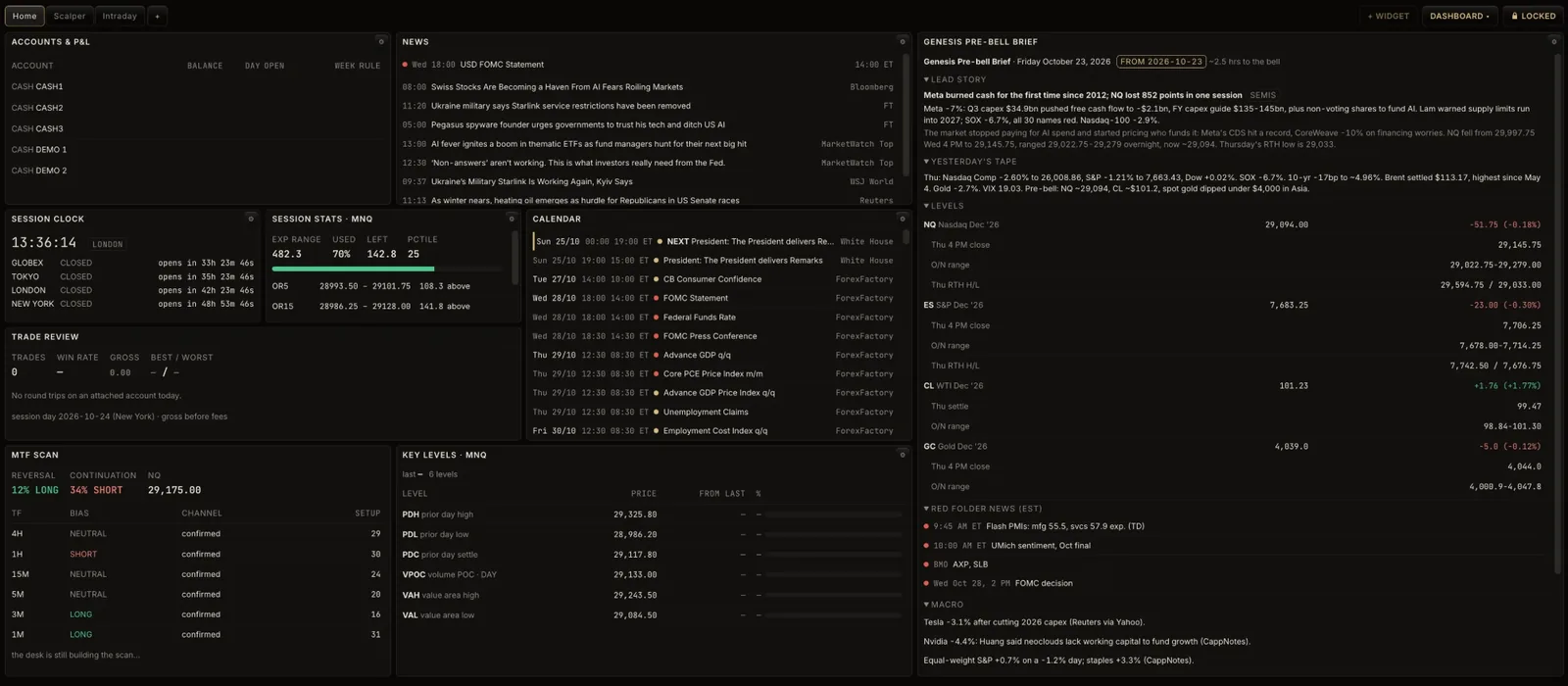
Account dashboard
Balances, open positions and the day's results for every connected account in one view.
Automatic updates
The app updates itself in the background and waits for you to restart, never mid-trade.
See the desk
Screens from the current build. Markets were closed when these were taken, so the charts show the last session.
How access works
Request an invitation
The beta is invite-only. Ask for access and we will reply by email.
30 days free
Invited testers get 30 days of access at no charge.
Then US$99 a month
After the free period the subscription is US$99 per month, billed monthly. Subscriptions are managed by DaisyPay and payments are processed by Stripe. Prices exclude any applicable taxes. Pricing details.
Cancel anytime
Cancel from the billing portal whenever you like. Access continues to the end of the month you have paid for. No refunds. Cancellation & no-refund policy.
Request beta access
Places in the beta are limited. Tell us which broker platform you use and how many accounts you run.